20-20-20 Vision Timer Using Linux, Docker, MySQL, and Kubernetes
Building a lightweight full-stack timer app with Flask, MySQL, Docker, Docker Compose, and Kubernetes.
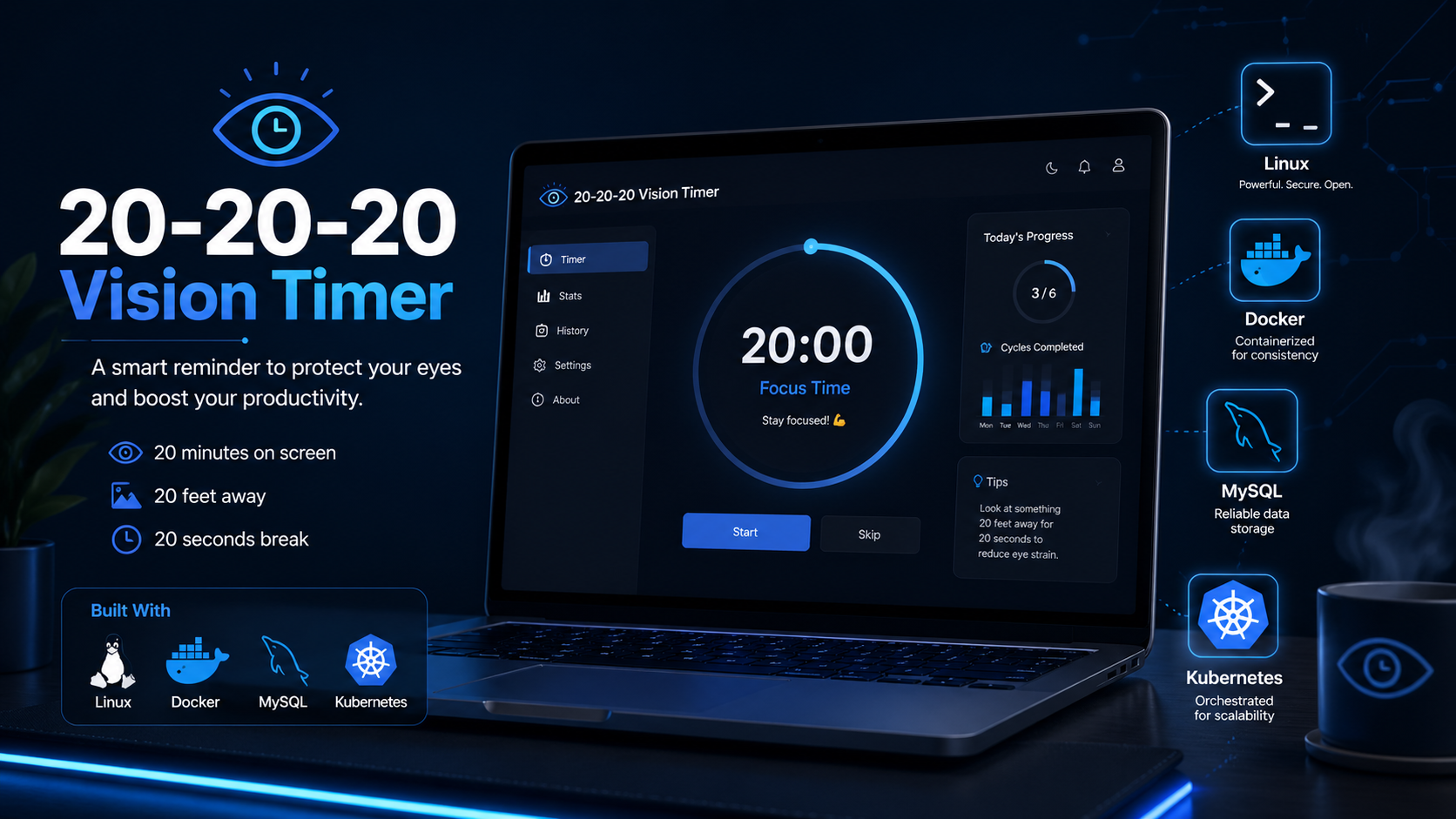
In this report, I walk through my 20-20-20 Vision Timer project, where I took a simple health-focused idea and turned it into a small full-stack application to strengthen my hands-on understanding of Linux, Docker, MySQL, and Kubernetes.
The original concept was straightforward: create a timer that reminds the user to follow the 20-20-20 rule for screen use. Every 20 minutes, the user is prompted to look at something 20 feet away for 20 seconds.
Rather than leaving it as a basic script, I used it as a practical project to connect multiple technologies together in a way that felt realistic and useful. The final version became a lightweight web application with a frontend countdown timer, a Flask backend, MySQL for reminder history, Docker for containerisation, and a local Kubernetes deployment using Minikube.
What made this project especially useful was that it was not just a clean build from start to finish. I also had to troubleshoot Linux permissions, repository issues, service readiness problems, and port conflicts along the way. That made the project much more valuable from a learning perspective.
By the end of the project, I had built:
- a working web-based 20-20-20 timer
- reminder history stored in MySQL
- a Dockerised local stack
- a Kubernetes deployment running in Minikube
- practical troubleshooting experience across Linux, Docker, and Kubernetes
Project Scope
This project was built to strengthen my practical skills in:
- Linux-based development
- backend application logic
- frontend interaction
- MySQL integration
- Docker containerisation
- Docker Compose orchestration
- Kubernetes deployment
- troubleshooting and validation
The main focus was not building a large-scale application, but using a smaller project to create something functional while learning how these technologies work together in a realistic workflow.
Project Goals
The main goals I set for myself were:
- build a simple but functional web application
- run the application in a Linux environment
- connect the app to a MySQL database
- containerise the app and database with Docker
- manage the local stack with Docker Compose
- deploy the same app into Kubernetes
- gain practical troubleshooting experience along the way
Tech Stack
- Linux for the development and runtime environment
- Python Flask for the backend
- HTML, CSS, and JavaScript for the frontend
- MySQL for storing reminder history
- Docker for containerising the application and database
- Docker Compose for local multi-service orchestration
- Kubernetes (Minikube) for local cluster deployment
Project Structure
The project was split into two main parts: the frontend and the backend.
Frontend
The frontend handled:
- the countdown display
- start, pause, and reset controls
- browser notifications
- sound alerts
- display of recent reminder history
- a daily completed count
Backend
The backend handled:
- serving the main page
- logging reminder events
- returning reminder history to the frontend
- connecting to MySQL
- initialising the reminders table if required
Phase 1: Building the Backend
I used Flask for the backend because it was a practical choice for a smaller project that still needed proper routing and application logic.
The backend included:
- a route for the main page
- a route to log reminder events
- a route to return recent reminder history
- database connection handling through environment variables
At this stage, the application was functional, but it was still very basic in appearance and mainly focused on getting the backend logic working.
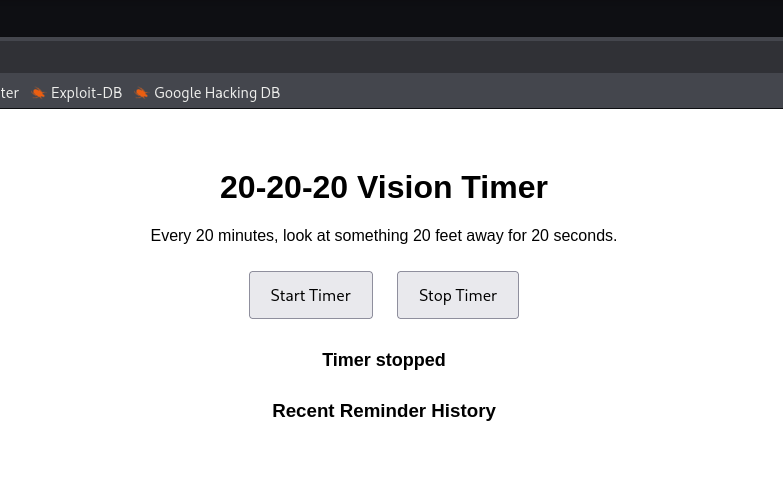
Phase 2: Improving the Frontend
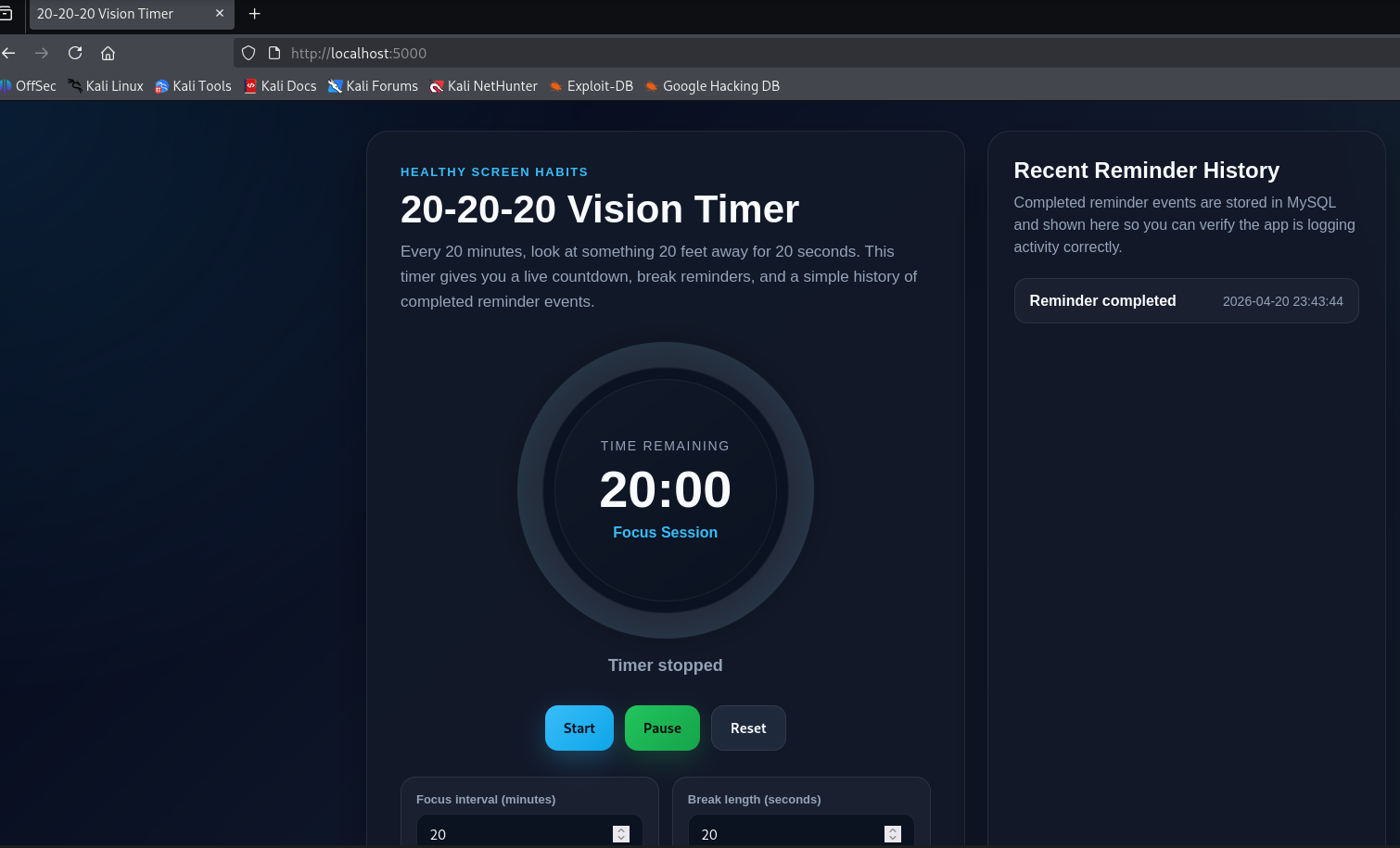
Once the backend was working, I improved the frontend so the project felt more like a real application instead of a basic demo.
The UI was updated to include:
- a dark themed layout
- a larger visible timer
- cleaner buttons and spacing
- reminder history cards
- sound alerts
- browser notification support
- a completed today counter
The frontend logic was handled with JavaScript, mainly for:
- countdown timing
- switching between focus and break phases
- triggering alerts
- requesting updated history from the backend
This made the project feel much more polished and also gave me more hands-on experience with how the frontend and backend work together.
Phase 3: Adding MySQL
To make the application more than just a front-end timer, I added MySQL to store reminder events.
Each time the reminder triggered, the backend wrote a timestamp into the database. The frontend then requested the most recent reminder entries and displayed them in the interface.
This part of the project gave me practical experience with:
- application-to-database connections
- table creation
- inserts and reads
- using environment variables for database configuration
I would describe this as application-focused MySQL usage rather than database administration, but it was still useful hands-on exposure and made the project more realistic.
Validation Command
1
docker exec -it $(docker ps -qf "ancestor=mysql:8") mysql -uvisionuser -pvisionpass visiondb -e "SELECT * FROM reminders;"
Phase 4: Containerising the Project with Docker
Once the application worked locally, I containerised it with Docker.
I created:
- a Dockerfile for the Flask application
- a separate MySQL container using the official image
This made the project easier to run consistently and gave me a better understanding of how application services interact when separated into containers.
After that, I used Docker Compose to define both services together and bring them up as a single local stack.
That part of the project was useful because it forced me to think more clearly about:
- service separation
- networking between containers
- startup dependencies
- environment-based configuration
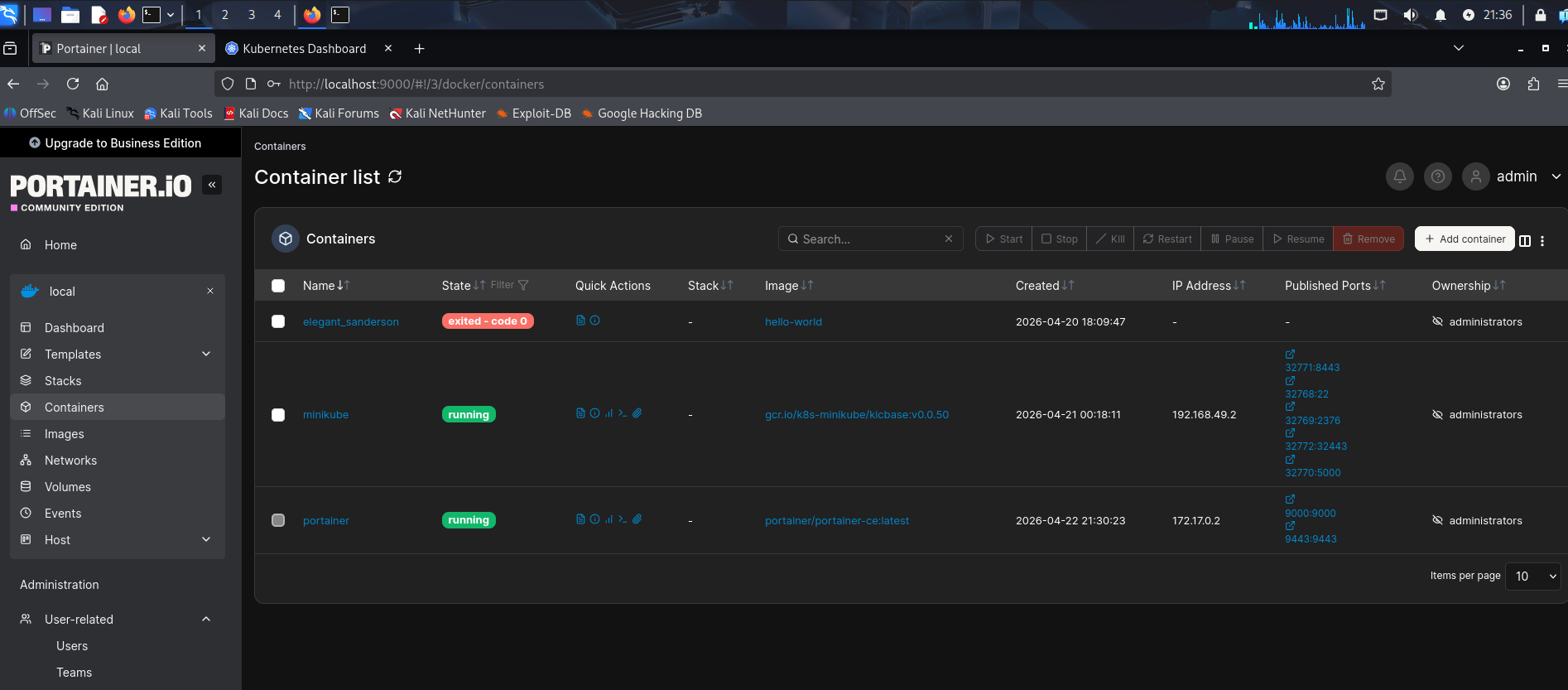
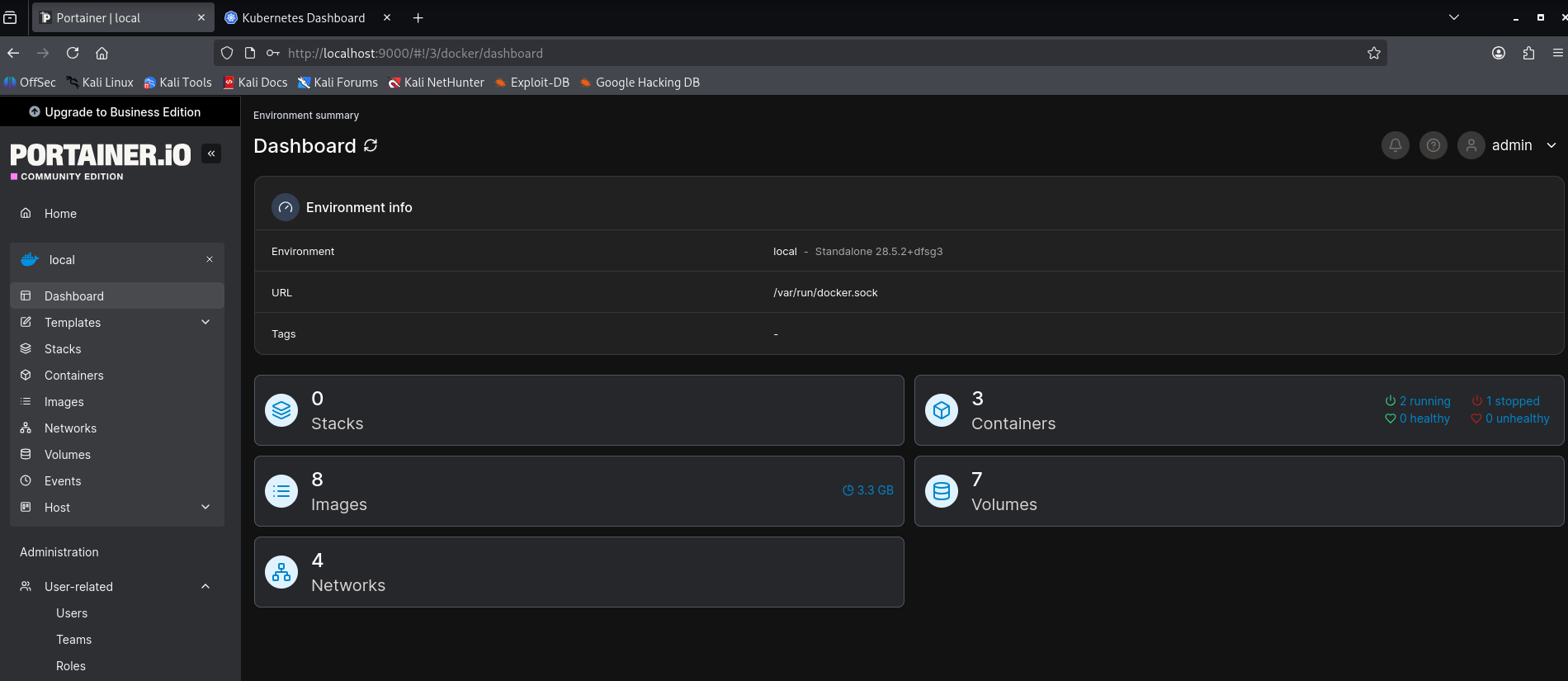
Phase 5: Troubleshooting Docker and Linux Issues
A useful part of this project was that not everything worked the first time. The troubleshooting process ended up being just as valuable as the final result.
Docker Daemon Permissions
I ran into permission issues when trying to interact with Docker on Linux. That turned out to be a Docker group access problem rather than an application issue.
Repository Mismatch on Kali
At one point, I attempted to use the Ubuntu Docker repository on Kali, which caused package and repository errors. I corrected that by using Kali’s own repository and installing the correct Docker packages from there.
MySQL Service Readiness
The app could start before MySQL had fully initialised, which caused connection failures until the database was ready.
Port Conflict
I also ran into a port conflict when an older MySQL container was already using port 3306.
These issues made the project more realistic and gave me direct troubleshooting experience in Linux and Docker rather than just a clean success path.
Troubleshooting Commands
1
2
3
docker-compose ps
docker-compose logs app
docker-compose logs db
Phase 6: Moving the Project into Kubernetes
After the Docker version was stable, I moved the project into Kubernetes using Minikube.
I created Kubernetes manifests for:
- a MySQL Deployment
- a MySQL Service
- an application Deployment
- an application Service
This was the point where the project shifted from basic container usage into a more structured deployment model.
It helped me understand:
- how deployments manage application state
- how services provide stable internal access
- how pods are created and managed
- how application-to-database communication works in Kubernetes
- how to check runtime status using
kubectl
Phase 7: Verifying the Kubernetes Deployment
Once the manifests were applied, I checked:
- pod status
- deployment status
- services
- application logs
- MySQL logs
- the exposed Minikube service URL
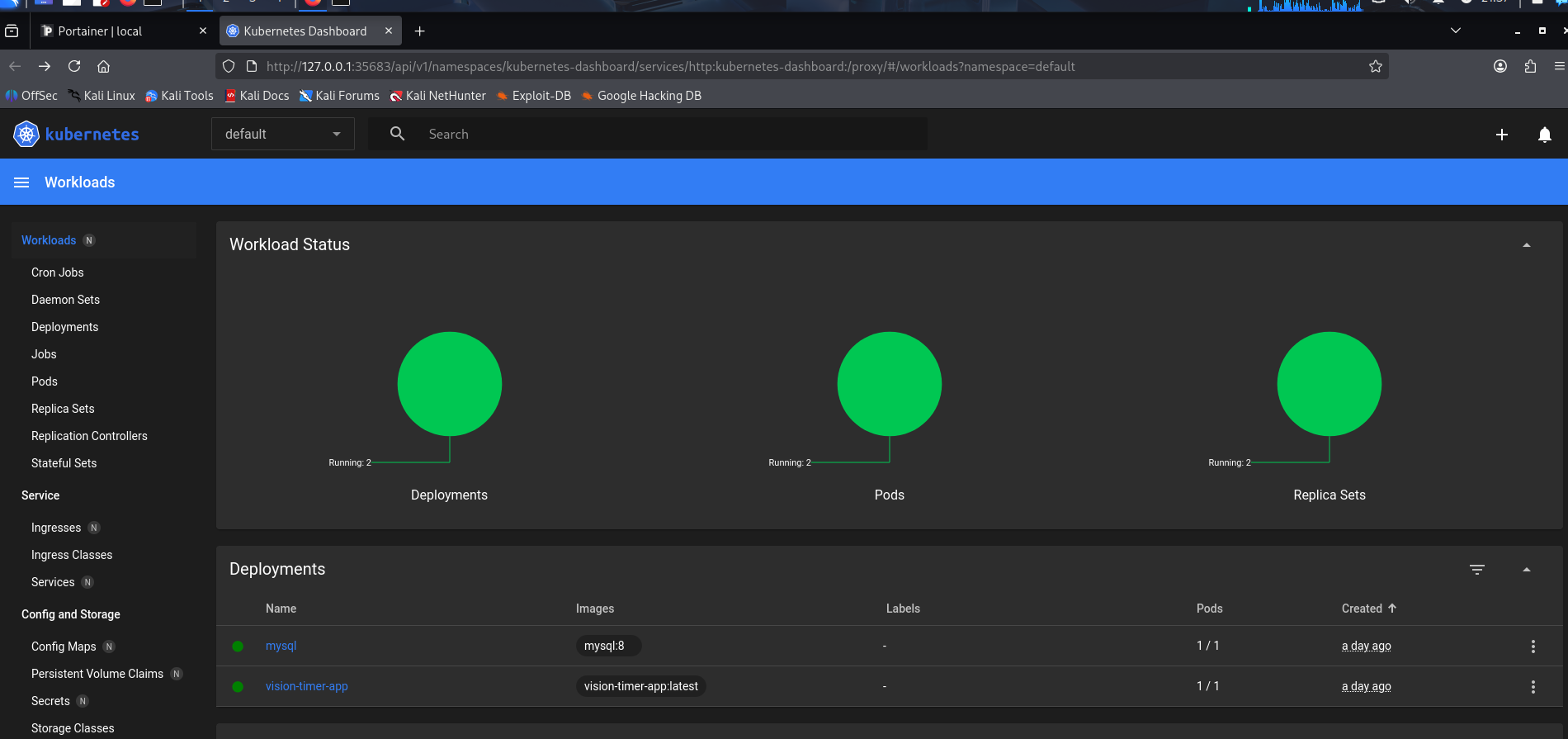
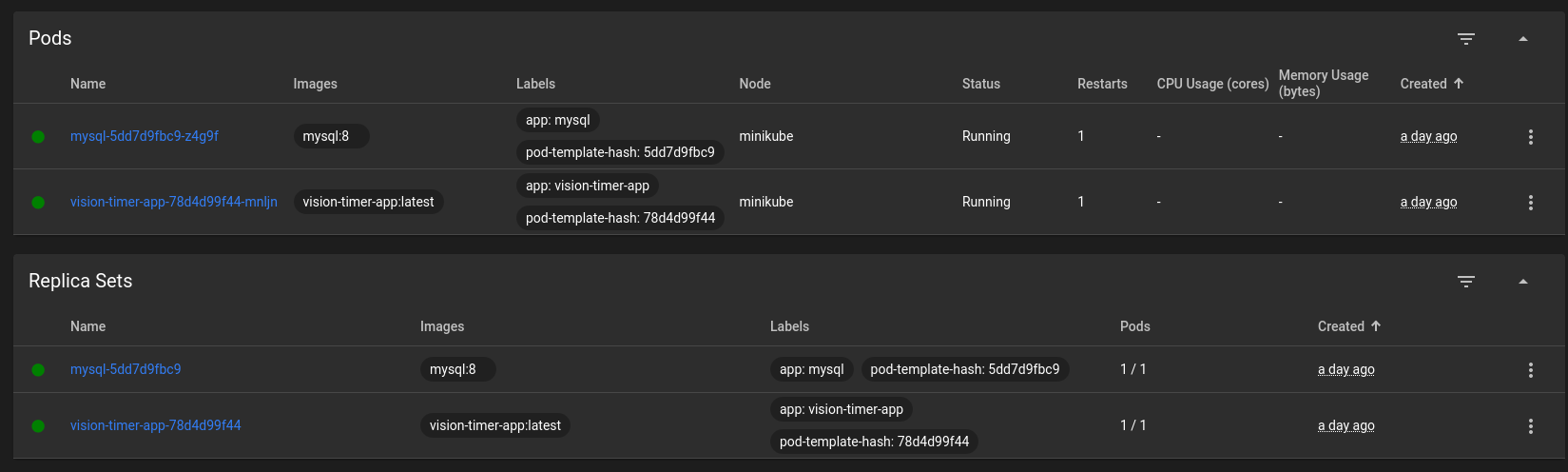
I also used the Kubernetes dashboard to confirm that the workloads, pods, and replica sets were running correctly.
This part was especially useful because it gave me both a visual and operational view of how the application behaved once it moved beyond Docker Compose and into Kubernetes.
Final Result
By the end of the project, I had:
- a working web-based 20-20-20 timer
- reminder history stored in MySQL
- a Dockerised local stack
- a Kubernetes deployment running in Minikube
- practical troubleshooting experience across Linux, Docker, and Kubernetes
The project was intentionally small, but it was enough to connect multiple technologies together in a way that felt practical and useful.
What This Project Demonstrated
This project showed that I can:
- build a small but functional full-stack application
- work in a Linux-based environment
- connect an application to MySQL
- containerise an application and database with Docker
- use Docker Compose for local orchestration
- move the same project into Kubernetes
- troubleshoot real issues involving permissions, repositories, service readiness, and ports
- validate deployments through logs, services, and runtime checks
- document the full process clearly as a portfolio project
Key Takeaways
A few things stood out from this project:
1. A small app can still be a strong technical learning exercise
Even though the application itself was simple, it gave me practical experience across multiple layers of development and deployment.
2. Troubleshooting was just as valuable as the build itself
A lot of the learning came from fixing what did not work immediately, especially around Linux permissions, Docker setup, and service startup timing.
3. Docker and Kubernetes changed how I think about application deployment
Working through both Docker Compose and Kubernetes helped me better understand how services are separated, connected, and managed across different environments.
4. The project became a practical interview talking point
This project gave me a realistic way to talk about Linux, containers, databases, and deployment workflows in a hands-on context.
Possible Next Improvements
Some reasonable next steps for this project would be:
- persisting more user settings
- cleaning up the Kubernetes configuration further
- adding metrics or monitoring
- improving how reminder statistics are stored and displayed
- packaging it more cleanly for repeat deployment
Summary
Overall, this project was a really good example of how a small idea can turn into a strong practical learning exercise when it is expanded across multiple technologies. What started as a simple timer became a full workflow involving Linux, Flask, MySQL, Docker, Docker Compose, and Kubernetes.
Working through it step by step helped me understand not just how to build the app, but how to run it, containerise it, troubleshoot it, and deploy it in different ways. The most useful part for me was seeing how each layer depended on the one below it. A small issue in Linux permissions, a database startup delay, or a container port conflict could all affect the final result.
What stood out most to me was how much value there is in using a simple project to practise real technical workflows. The application itself was intentionally lightweight, but the process around it exposed me to development, deployment, orchestration, and troubleshooting in a much more hands-on way.
For me, this project reinforced the importance of building things end to end. It was not just about writing code. It was about understanding how the application, database, containers, and cluster all fit together and how to validate that everything is actually working.